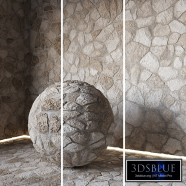
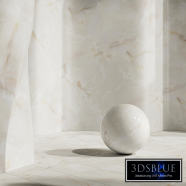
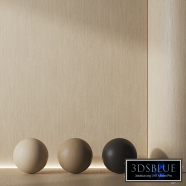
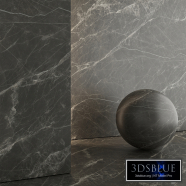
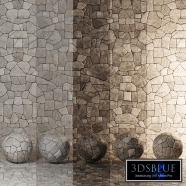
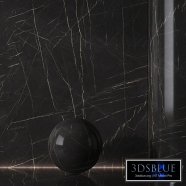
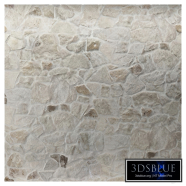
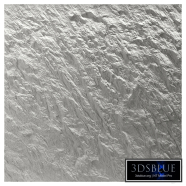
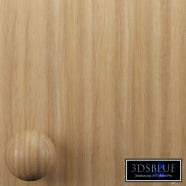
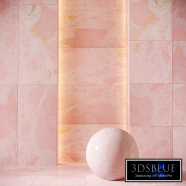
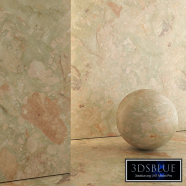
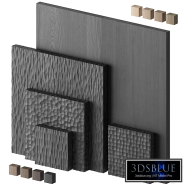
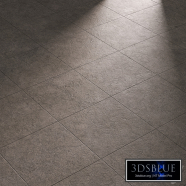
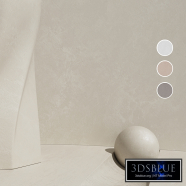
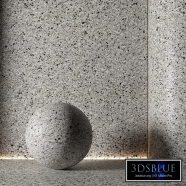
Decorative poster | Concrete set (seamless) | 41

125 views

0 likes

120 share

  • Description
  • Comments
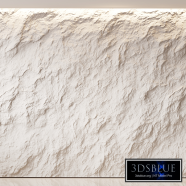
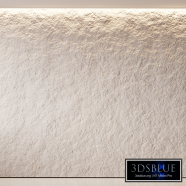
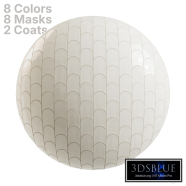
Decorative poster | Concrete set (seamless) | 41 8 seamless concrete materials (decorative plaster, microcement). Made on the basis of Porcelanosa Baltimore White tiles. Texture resolution: 6K. Wall height in the preview is 3m. You can also set your own color via the CoronaColor/VRayColor map. The actual texture size is 3600*3600mm Important! The scene on the preview differs from the scene in the archive. Texture scale in millimeters, when using UVW map do not forget to set "Use Real-World Scale". To change the texture scale use UVW Xform, U Tile and V Tile, where 1.0 is this is 100%, and also set "Apply to Entire Object". Or change their sizes in the texture parameters. If you work in CM, then after uploading materials to 3D Max, you need to do the following operations: 1. After throwing all the materials into the scene, you need to save and restart max. 2. Add a UVW map to your objects and set it to "Use Real-World Scale", then add a UVW Xform, U Tile and V Tile set to 10 (since 3ds max can't adapt textures from MM to CM) and other units), as well as "Apply to Entire Object". Roughly speaking, we compensate for the different scale of textures. For working with materials using the FloorGenerator plugin, you can see the instructions here: https://youtu.be/-cZw3DQ0ad4 My other models: https://3dsky.org/users/arch_i_kraynov/models Materials: Vray and Corona 11 Vray materials are obtained using Vray-converter. Those who work in V-Ray version lower than version 3.1, be careful, in the materials in the BRDF section there is Microfaset GTR (GGX), if your version is lower than 3.1, then the BRDF field will be empty. Select Blinn, Phong or Ward - what for You are preferred. For Corona render materials CoronaLegacyMtl. In CoronaRender 6 and below CoronaLegacyMtl=CoronaMtl. It is recommended to install version no lower than 1.5, since the glossiness of materials is configured taking into account PBR.
Materials

Decorative poster | Concrete set (seamless) | 41

Price: 30 Diamond$ Pro

Royalty Free License


Balance: 0 accesses to PRO models


  • ID Product :

    7059449.66ffff2396665

  • Platform :

    3dsMax 2015 + obj

  • Render :

    Vray + Corona

  • Size :

    162 MB

  • Polygons :

  • Colors :

  • Lengh :

  • Width :

  • Height :

  • Style :

    Modern

  • Materials :

  • Formfactor :


Decorative poster | Concrete set (seamless) | 41 8 seamless concrete materials (decorative plaster, microcement). Made on the basis of Porcelanosa Baltimore White tiles. Texture resolution: 6K. Wall height in the preview is 3m. You can also set your own color via the CoronaColor/VRayColor map. The actual texture size is 3600*3600mm Important! The scene on the preview differs from the scene in the archive. Texture scale in millimeters, when using UVW map do not forget to set "Use Real-World Scale". To change the texture scale use UVW Xform, U Tile and V Tile, where 1.0 is this is 100%, and also set "Apply to Entire Object". Or change their sizes in the texture parameters. If you work in CM, then after uploading materials to 3D Max, you need to do the following operations: 1. After throwing all the materials into the scene, you need to save and restart max. 2. Add a UVW map to your objects and set it to "Use Real-World Scale", then add a UVW Xform, U Tile and V Tile set to 10 (since 3ds max can't adapt textures from MM to CM) and other units), as well as "Apply to Entire Object". Roughly speaking, we compensate for the different scale of textures. For working with materials using the FloorGenerator plugin, you can see the instructions here: https://youtu.be/-cZw3DQ0ad4 My other models: https://3dsky.org/users/arch_i_kraynov/models Materials: Vray and Corona 11 Vray materials are obtained using Vray-converter. Those who work in V-Ray version lower than version 3.1, be careful, in the materials in the BRDF section there is Microfaset GTR (GGX), if your version is lower than 3.1, then the BRDF field will be empty. Select Blinn, Phong or Ward - what for You are preferred. For Corona render materials CoronaLegacyMtl. In CoronaRender 6 and below CoronaLegacyMtl=CoronaMtl. It is recommended to install version no lower than 1.5, since the glossiness of materials is configured taking into account PBR.

Similar 3D Models

Paving slabs

Paving slabs

30 Paving slabs 0 250

"Pour" tile by Henry Holland Studio

30 0 250

Burl plywood wood material 02

Burl plywood wood material 02

30 Burl plywood wood material 02 1 250

Ash wood material 02

Ash wood material 02

30 Ash wood material 02 1 250

L'antic Colonial BLINDS Tile

L'antic Colonial BLINDS Tile

30 L'antic Colonial BLINDS Tile 0 250

Laminate. Parquet. Board 79

Laminate. Parquet. Board 79

30 Laminate. Parquet. Board 79 0 250

Laminate. Parquet. Board 77

Laminate. Parquet. Board 77

30 Laminate. Parquet. Board 77 0 250

Marble Sptr 66

Marble Sptr 66

30 Marble Sptr 66 0 250

Medina Kerama Marazzi tiles

Medina Kerama Marazzi tiles

30 Medina Kerama Marazzi tiles 0 250

Stonework 006 (Seamless Texture)

Stonework 006 (Seamless Texture)

30 Stonework 006 (Seamless Texture) 1 250

Stonework 005 (Seamless Texture)

Stonework 005 (Seamless Texture)

30 Stonework 005 (Seamless Texture) 2 250

Set of polished metal 002

Set of polished metal 002

30 Set of polished metal 002 0 250

Kerama Marazzi Morocco Fez Tile

Kerama Marazzi Morocco Fez Tile

30 Kerama Marazzi Morocco Fez Tile 2 250

Pill Mini Tiles Running Bond

Pill Mini Tiles Running Bond

30 Pill Mini Tiles Running Bond 0 250

WoW 3D BARS

WoW 3D BARS

30 WoW 3D BARS 0 250

Concrete ceiling 03

Concrete ceiling 03

30 Concrete ceiling 03 1 250

Wooden Plank and Beam Vol 03

Wooden Plank and Beam Vol 03

30 Wooden Plank and Beam Vol 03 0 250

Glass Blocks 12

Glass Blocks 12

30 Glass Blocks 12 0 250

Straight Square Mosaic

Straight Square Mosaic

30 Straight Square Mosaic 0 250

Boucle

Boucle

30 Boucle 0 250