Fog

5 views

likes

120 share

  • Description
  • Comments
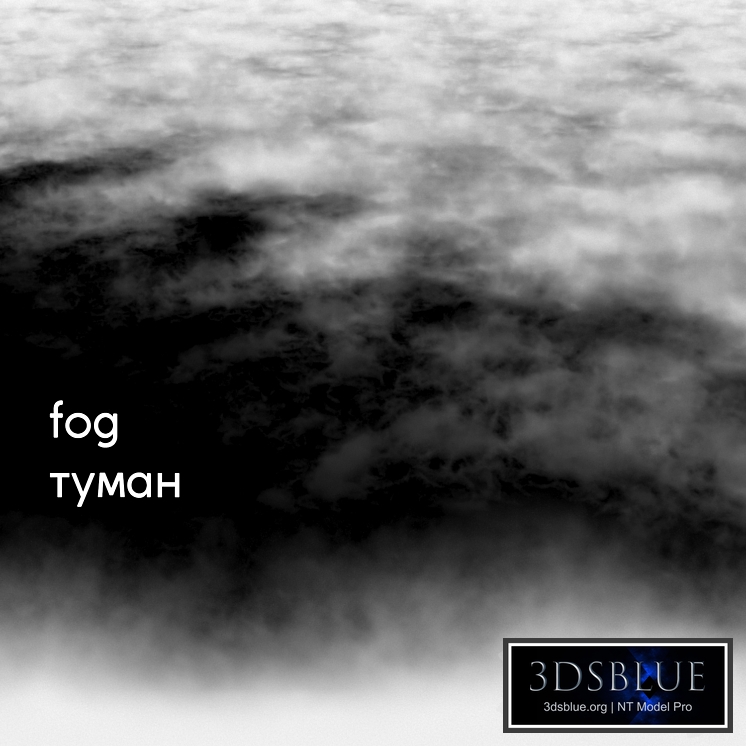
Procedural fog material Configured via CoronaVolumeMtl using CoronaDistance The material allows you to quickly and conveniently edit the height of the fog. 1) Place the fog material box on your surface 2) Adjust the dimensions of the box if necessary 3) In the fog material, specify your surface in the CoronaDistance settings Visual instructions for working with CoronaDistance are archived. The material is completely procedural, contains no textures and was created exclusively using standard procedural maps. All maps, layers, and materials have logical names in English. For your convenience, the material is configured in 3 variants of world units: millimeters, centimeters and meters. Use the file.max with the name corresponding to the units of measurement of your scene. There is only one library of materials, but it includes 3 variants of units of measurement. In the archive: .max Corona file (units of measurement millimeters) .max Corona file (units of measurement centimeters) .max Corona file (units of measurement meters) The Corona library of materials (units of measurement are millimeters, centimeters, and meters) .obj file Instruction manual You can find other materials for the exterior in my profile.: https://3dsky.org/users/maltsev_stepan/models If you have any questions or difficulties, write in private messages, I will be glad to help you! Attention! The material strongly affects the rendering speed, because it is CoronaVolumeMtl. To speed up the rendering, you can increase the Step size value in the material settings. The author does not give his consent to the use of this material in his models uploaded to the drains, including 3ddd / 3dsky. There is no fog geometry in the archive: You acquire the procedural fog material. In the files .max is a simple Box, with a material superimposed on it, as well as a surface for CoronaDistance work. It is recommended to install the Corona Render version at least 1.5, since the Glossiness of the materials is adjusted with PBR in mind. Creative success!
Materials

Fog

Price: 30 Diamond$ Pro

Royalty Free License


Balance: 0 accesses to PRO models


  • ID Product :

    7615302.6809fab79f802

  • Platform :

    3dsMax 2013 + obj

  • Render :

    Corona

  • Size :

    0 MB

  • Polygons :

  • Colors :

  • Lengh :

  • Width :

  • Height :

  • Style :

    Modern

  • Materials :

  • Formfactor :


Procedural fog material Configured via CoronaVolumeMtl using CoronaDistance The material allows you to quickly and conveniently edit the height of the fog. 1) Place the fog material box on your surface 2) Adjust the dimensions of the box if necessary 3) In the fog material, specify your surface in the CoronaDistance settings Visual instructions for working with CoronaDistance are archived. The material is completely procedural, contains no textures and was created exclusively using standard procedural maps. All maps, layers, and materials have logical names in English. For your convenience, the material is configured in 3 variants of world units: millimeters, centimeters and meters. Use the file.max with the name corresponding to the units of measurement of your scene. There is only one library of materials, but it includes 3 variants of units of measurement. In the archive: .max Corona file (units of measurement millimeters) .max Corona file (units of measurement centimeters) .max Corona file (units of measurement meters) The Corona library of materials (units of measurement are millimeters, centimeters, and meters) .obj file Instruction manual You can find other materials for the exterior in my profile.: https://3dsky.org/users/maltsev_stepan/models If you have any questions or difficulties, write in private messages, I will be glad to help you! Attention! The material strongly affects the rendering speed, because it is CoronaVolumeMtl. To speed up the rendering, you can increase the Step size value in the material settings. The author does not give his consent to the use of this material in his models uploaded to the drains, including 3ddd / 3dsky. There is no fog geometry in the archive: You acquire the procedural fog material. In the files .max is a simple Box, with a material superimposed on it, as well as a surface for CoronaDistance work. It is recommended to install the Corona Render version at least 1.5, since the Glossiness of the materials is adjusted with PBR in mind. Creative success!

Similar 3D Models

fabric 4k

fabric 4k

30 fabric 4k 0 250

Slate

Slate

30 Slate 0 250

Wood material 14. Seamless texture Oak

Wood material 14. Seamless texture Oak

30 Wood material 14. Seamless texture Oak 0 250

Concrete Textures Set 059

Concrete Textures Set 059

30 Concrete Textures Set 059 0 250

Concrete Textures Set 055

Concrete Textures Set 055

30 Concrete Textures Set 055 0 250

Decorative fabric Jacquard a la Toile de Jouy

Decorative fabric Jacquard a la Toile de Jouy

30 Decorative fabric Jacquard a la Toile de Jouy 0 250

WOW Rebels

WOW Rebels

30 WOW Rebels 0 250

Stone Wall 32 (Seamless)

Stone Wall 32 (Seamless)

30 Stone Wall 32 (Seamless) 0 250

Boucle cloth material 2810

Boucle cloth material 2810

30 Boucle cloth material 2810 0 250

Limestone material 2510

Limestone material 2510

30 Limestone material 2510 0 250

Backlit Himalayan Salt Brick

Backlit Himalayan Salt Brick

30 Backlit Himalayan Salt Brick 0 250

Mappa burl material

Mappa burl material

30 Mappa burl material 0 250

Decorative Plaster 02

Decorative Plaster 02

30 Decorative Plaster 02 0 250

Burl material seamless 2210

Burl material seamless 2210

30 Burl material seamless 2210 3 250

Glass Texture Set 020

Glass Texture Set 020

30 Glass Texture Set 020 0 250

Stone material 57, granite, seamless.

Stone material 57, granite, seamless.

30 Stone material 57, granite, seamless. 0 250

Bathroom Wall Tile Vol 05

Bathroom Wall Tile Vol 05

30 Bathroom Wall Tile Vol 05 0 250

Walnut wood material 03

Walnut wood material 03

30 Walnut wood material 03 0 250

Split Face Travertine 03 (Seamless)

Split Face Travertine 03 (Seamless)

30 Split Face Travertine 03 (Seamless) 0 250

Seamless wood material 73

Seamless wood material 73

30 Seamless wood material 73 0 250