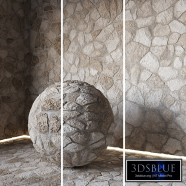
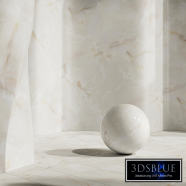
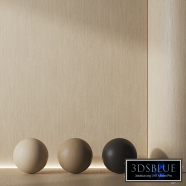
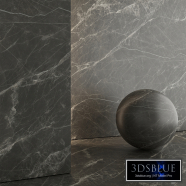
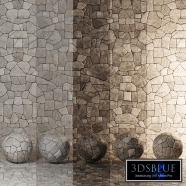
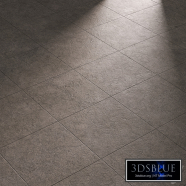
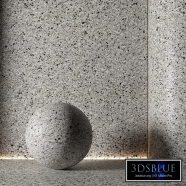
Granite paving slab Type 13

90 views

0 likes

120 share

  • Description
  • Comments
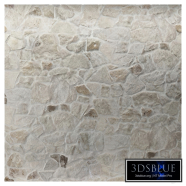
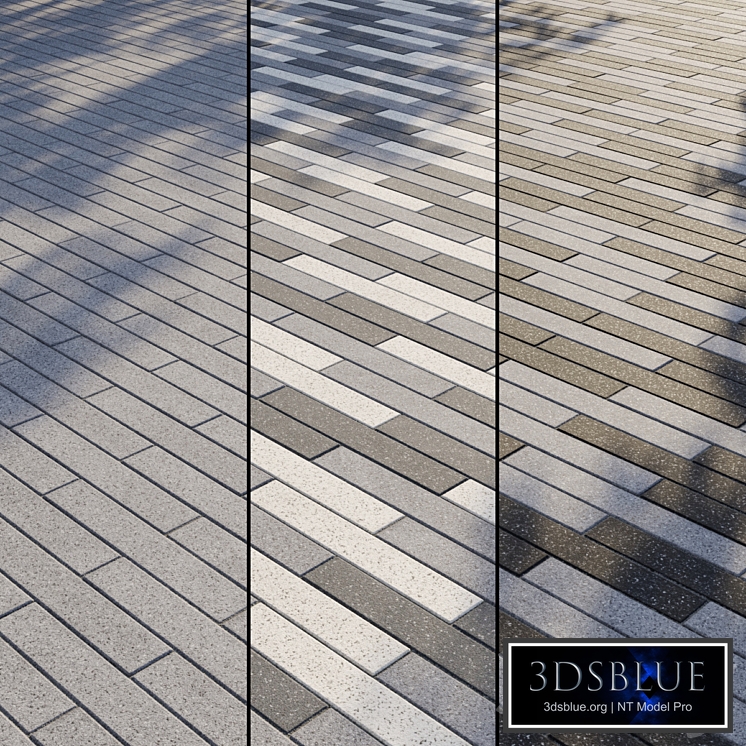
Granite paving Type 13 In the archive: Diffuse Black Diffuse Dark Gray Diffuse Gray Diffuse White Reflect Gloss Normal Bump Displace Mask Mask Pattern 1 Mask Pattern 2 Mask Pattern 3 V-Ray Material Library Corona Material Library Max V-Ray file Max Corona file OBJ file Instruction Readme Texture size: 6000 by 6000 px Real size: 6000 by 6000 mm Tile size: 100 x 600 mm The texture is seamless, the tiling does not catch the eye even on large areas. All textures, maps and materials have logical names in English. Texture paths have been removed. The Diffuse slot has a standard Composite card, which includes all 4 colors (Black, Dark Gray, Gray, White) and 3 pattern masks (Mask Pattern 1, Mask Pattern 2, Mask Pattern 3). This way you can simply turn on the desired tile color or create a pattern. Gray (Layer 1) color is enabled by default. You can enable the colors White (Layer 2), Dark Gray (Layer 3) or Black (Layer 4). You can enable a mask (Mask Pattern 1, Mask Pattern 2 or Mask Pattern 3) to the desired layer to get a pattern. You can combine colors and masks in any combinations by switching, replacing or dragging them. You can draw in a graphic editor and apply your pattern masks using the Mask texture. You can edit the tile separately from the seams using the Mask texture. In the archive you will find a visual diagram of working with the Composite map, which indicates where the on/off buttons of layers and masks are located. The Displacement slot is turned off – turn it on if necessary, without forgetting to turn off Normal. All my materials (of the same type) are unified with each other - you can replace or supplement one material with another, being sure that the color and texture will exactly match. You can find other paving and materials for the exterior in my profile: https://3dsky.org/users/maltsev_stepan/models If you have any difficulties, write in private messages, I will be glad to help you! ATTENTION! There is no tile geometry in the archive: You purchase a set of textures and customized materials. In the files .max is a simple Plane, with material superimposed on it. Who works in a V-Ray version lower than 3.1, be careful, there is a Microfaset GTR (GGX) in the materials in the BRDF section, if your version is older than 3.1, then the BRDF field will be empty. Choose Blinn, Phong or Ward – which is preferable for you. For Corona Render, it is recommended to install a version not lower than 1.5, since the Glossiness of materials is configured with PBR in mind. Creative success!
Materials

Granite paving slab Type 13

Price: 30 Diamond$ Pro

Royalty Free License


Balance: 0 accesses to PRO models


  • ID Product :

    4388444.62ec7451766f5

  • Platform :

    3dsMax 2011 + obj

  • Render :

    Vray + Corona

  • Size :

    155 MB

  • Polygons :

  • Colors :

  • Lengh :

  • Width :

  • Height :

  • Style :

    Modern

  • Materials :

  • Formfactor :


Granite paving Type 13 In the archive: Diffuse Black Diffuse Dark Gray Diffuse Gray Diffuse White Reflect Gloss Normal Bump Displace Mask Mask Pattern 1 Mask Pattern 2 Mask Pattern 3 V-Ray Material Library Corona Material Library Max V-Ray file Max Corona file OBJ file Instruction Readme Texture size: 6000 by 6000 px Real size: 6000 by 6000 mm Tile size: 100 x 600 mm The texture is seamless, the tiling does not catch the eye even on large areas. All textures, maps and materials have logical names in English. Texture paths have been removed. The Diffuse slot has a standard Composite card, which includes all 4 colors (Black, Dark Gray, Gray, White) and 3 pattern masks (Mask Pattern 1, Mask Pattern 2, Mask Pattern 3). This way you can simply turn on the desired tile color or create a pattern. Gray (Layer 1) color is enabled by default. You can enable the colors White (Layer 2), Dark Gray (Layer 3) or Black (Layer 4). You can enable a mask (Mask Pattern 1, Mask Pattern 2 or Mask Pattern 3) to the desired layer to get a pattern. You can combine colors and masks in any combinations by switching, replacing or dragging them. You can draw in a graphic editor and apply your pattern masks using the Mask texture. You can edit the tile separately from the seams using the Mask texture. In the archive you will find a visual diagram of working with the Composite map, which indicates where the on/off buttons of layers and masks are located. The Displacement slot is turned off – turn it on if necessary, without forgetting to turn off Normal. All my materials (of the same type) are unified with each other - you can replace or supplement one material with another, being sure that the color and texture will exactly match. You can find other paving and materials for the exterior in my profile: https://3dsky.org/users/maltsev_stepan/models If you have any difficulties, write in private messages, I will be glad to help you! ATTENTION! There is no tile geometry in the archive: You purchase a set of textures and customized materials. In the files .max is a simple Plane, with material superimposed on it. Who works in a V-Ray version lower than 3.1, be careful, there is a Microfaset GTR (GGX) in the materials in the BRDF section, if your version is older than 3.1, then the BRDF field will be empty. Choose Blinn, Phong or Ward – which is preferable for you. For Corona Render, it is recommended to install a version not lower than 1.5, since the Glossiness of materials is configured with PBR in mind. Creative success!

Similar 3D Models

Porcelain tiles Porcelanosa KARACHI GREY, KARACHI ACERO

Porcelain tiles Porcelanosa KARACHI GREY, KARACHI ACERO

30 Porcelain tiles Porcelanosa KARACHI GREY, KARACHI ACERO 1 250

Old brick with plaster

Old brick with plaster

30 Old brick with plaster 0 250

4 Tiles from ITALON

4 Tiles from ITALON

30 4 Tiles from ITALON 1 250

LOFA Ceramics Great Arch Tile

LOFA Ceramics Great Arch Tile

30 LOFA Ceramics Great Arch Tile 1 250

Artificial Stone

Artificial Stone

30 Artificial Stone 0 250

Cement plaster material No. 2

Cement plaster material No. 2

30 Cement plaster material No. 2 1 250

Medina Kerama Marazzi tiles

Medina Kerama Marazzi tiles

30 Medina Kerama Marazzi tiles 1 250

Tile Material 82

Tile Material 82

30 Tile Material 82 0 250

SALVATORI CNC

SALVATORI CNC

30 SALVATORI CNC 0 250

Wood Texture Set 038

Wood Texture Set 038

30 Wood Texture Set 038 2 250

Versace Meteorite Bianco

Versace Meteorite Bianco

30 Versace Meteorite Bianco 0 250

Porcelain tiles MarbleS Tundra Gray Lappato

Porcelain tiles MarbleS Tundra Gray Lappato

30 Porcelain tiles MarbleS Tundra Gray Lappato 0 250

Glass Bricks 012

Glass Bricks 012

30 Glass Bricks 012 0 250

12 textures 4k in wood293

12 textures 4k in wood293

30 12 textures 4k in wood293 0 250

Carpet | Carpeting (Seamless) | 09

Carpet | Carpeting (Seamless) | 09

30 Carpet | Carpeting (Seamless) | 09 0 250

H83 Slate Stone | PBR | 4K

H83 Slate Stone | PBR | 4K

30 H83 Slate Stone | PBR | 4K 2 250

Air Mesh 3d material

Air Mesh 3d material

30 Air Mesh 3d material 0 250

Chromatized Steel/Rainbow Metal

Chromatized Steel/Rainbow Metal

30 Chromatized Steel/Rainbow Metal 0 250

Marble Material Set 04 8K

Marble Material Set 04 8K

30 Marble Material Set 04 8K 0 250

Patagonia Marble Slabs with backlit, bookmatch

Patagonia Marble Slabs with backlit, bookmatch

30 Patagonia Marble Slabs with backlit, bookmatch 0 250