Garland

732 views

0 likes

120 share

  • Description
  • Comments

Garland

Material for winding various objects with a garland.
Works in conjunction with Corona Scatter.
Designed for wrapping objects such as trees, poles, columns, beams, etc.

Other unusual materials for your winter renders:
https://3dsky.org/3dmodels/show/sneg_1 
https://3dsky.org/3dmodels/show/sledy_na_snegu 

The essence of the method - you have a certain object that you want to quickly wrap with a garland.
Wrapping an object with a geometric wire is very long and will add a lot of polygons to the scene.
Therefore, you need to copy (Copy) this object without offset (to itself), and apply the wire material to this copy.
Thus, you will remain untouched by the main object, but its copy, with the wire material applied to it, during rendering, it will extrude, thanks to Displace, where the wire should be and disappear, thanks to Opacity, on the rest of the surface.
Also, the copy must be specified in the Corona Scatter settings as the object on which the light bulbs will scatter.

Mode of application:
1) Copy (Copy) without shifting the object that you want to wrap with a garland.
2) Apply the wire material to the copy.
3) Adjust the scale of the wire winding in the material tiling settings or adjust the object mapping.
4) Specify the copy in the Corona Scatter settings as the object on which the light bulbs will scatter.
5) You can adjust the density of the wire winding, the density of the bulbs, the color scheme of the bulbs, choose the shape of the bulbs, and turn the light on or off.

You can adjust the density of the light bulbs using the "instruction_wire" image attached to the archive.
There are three options for setting the density - rare (sparse), dense (dense) and arbitrary (custom).
By default, sparse is enabled. When using the "custom" option, the density is adjusted using
the "Avoid collisions" parameter in the Corona Scatter settings. This option is preferred for trees, for example,
to avoid excessive density of light bulbs on thin branches.
You can control the lamp settings using the "instruction_lamp" image attached to the archive.
You can choose from three color schemes, as well as turn off the lights. When the option is off, the bulbs will turn glass.
The result of applying the material directly depends on the mapping of the original object.

In the archive:

Displace (Sparse, Dense)
Opacity (Sparse, Dense)
Normal (Sparse, Dense)
Mask Sparse (Sparse, Dense)
Mask Dense (Sparse, Dense)
Mask Custom (Sparse, Dense)
Corona Material Library
Max file Corona
OBJ file
Readme
Readme
Instruction Lamp
instruction wire

Texture size: 4096 x 4096 pix

Textures are seamless. All textures, maps and materials have logical names in English. Texture paths removed. Other materials you can find in my profile:
https://3dsky.org/users/maltsev_stepan/models 
If you have any difficulties, write in private messages, I will be happy to help you!

ATTENTION!

The author does not give his consent to the use of this material in his models uploaded to the stocks, including 3ddd / 3dsky.

There is no wire geometry in the archive: you get a set of textures, customized materials to simulate wire and models of three types of light bulbs. The material is configured in Corona 3.2

For Corona Render, it is recommended to set the version to at least 1.5, as the Glossiness of the materials is configured with PBR in mind.

Creative success!

Lighting

Garland

Price: 30 Diamond$ Pro

Royalty Free License


Balance: 0 accesses to PRO models


  • ID Product :

    4618392.63618e0c193c8

  • Platform :

  • Render :

    Corona

  • Size :

    18 MB

  • Polygons :

  • Colors :

  • Lengh :

  • Width :

  • Height :

  • Style :

    Modern
  • Materials :

  • Formfactor :


Garland

Material for winding various objects with a garland.
Works in conjunction with Corona Scatter.
Designed for wrapping objects such as trees, poles, columns, beams, etc.

Other unusual materials for your winter renders:
https://3dsky.org/3dmodels/show/sneg_1
https://3dsky.org/3dmodels/show/sledy_na_snegu

The essence of the method - you have a certain object that you want to quickly wrap with a garland.
Wrapping an object with a geometric wire is very long and will add a lot of polygons to the scene.
Therefore, you need to copy (Copy) this object without offset (to itself), and apply the wire material to this copy.
Thus, you will remain untouched by the main object, but its copy, with the wire material applied to it, during rendering, it will extrude, thanks to Displace, where the wire should be and disappear, thanks to Opacity, on the rest of the surface.
Also, the copy must be specified in the Corona Scatter settings as the object on which the light bulbs will scatter.

Mode of application:
1) Copy (Copy) without shifting the object that you want to wrap with a garland.
2) Apply the wire material to the copy.
3) Adjust the scale of the wire winding in the material tiling settings or adjust the object mapping.
4) Specify the copy in the Corona Scatter settings as the object on which the light bulbs will scatter.
5) You can adjust the density of the wire winding, the density of the bulbs, the color scheme of the bulbs, choose the shape of the bulbs, and turn the light on or off.

You can adjust the density of the light bulbs using the "instruction_wire" image attached to the archive.
There are three options for setting the density - rare (sparse), dense (dense) and arbitrary (custom).
By default, sparse is enabled. When using the "custom" option, the density is adjusted using
the "Avoid collisions" parameter in the Corona Scatter settings. This option is preferred for trees, for example,
to avoid excessive density of light bulbs on thin branches.
You can control the lamp settings using the "instruction_lamp" image attached to the archive.
You can choose from three color schemes, as well as turn off the lights. When the option is off, the bulbs will turn glass.
The result of applying the material directly depends on the mapping of the original object.

In the archive:

Displace (Sparse, Dense)
Opacity (Sparse, Dense)
Normal (Sparse, Dense)
Mask Sparse (Sparse, Dense)
Mask Dense (Sparse, Dense)
Mask Custom (Sparse, Dense)
Corona Material Library
Max file Corona
OBJ file
Readme
Readme
Instruction Lamp
instruction wire

Texture size: 4096 x 4096 pix

Textures are seamless. All textures, maps and materials have logical names in English. Texture paths removed. Other materials you can find in my profile:
https://3dsky.org/users/maltsev_stepan/models
If you have any difficulties, write in private messages, I will be happy to help you!

ATTENTION!

The author does not give his consent to the use of this material in his models uploaded to the stocks, including 3ddd / 3dsky.

There is no wire geometry in the archive: you get a set of textures, customized materials to simulate wire and models of three types of light bulbs. The material is configured in Corona 3.2

For Corona Render, it is recommended to set the version to at least 1.5, as the Glossiness of the materials is configured with PBR in mind.

Creative success!

Similar 3D Models

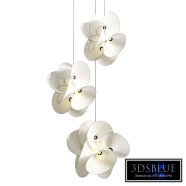
DIY Floating Glass Leaf Chandelier

DIY Floating Glass Leaf Chandelier

30 DIY Floating Glass Leaf Chandelier 1 250

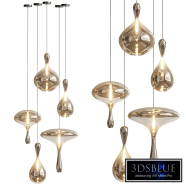
Suspended Water Drop Pendant Lamp

Suspended Water Drop Pendant Lamp

30 Suspended Water Drop Pendant Lamp 0 250

MR MAGOO floor lamp

MR MAGOO floor lamp

30 MR MAGOO floor lamp 0 250

Halo Shade Wall Sconce

Halo Shade Wall Sconce

30 Halo Shade Wall Sconce 2 250

Misty Penta Light 04

Misty Penta Light 04

30 Misty Penta Light 04 0 250

Eichholtz Verbier Oval Chandelier

Eichholtz Verbier Oval Chandelier

30 Eichholtz Verbier Oval Chandelier 0 250

Vibia Asia Pendant Lamps

Vibia Asia Pendant Lamps

30 Vibia Asia Pendant Lamps 1 250

como wall lamp ovel

como wall lamp ovel

30 como wall lamp ovel 0 250

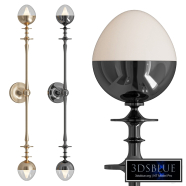
Large Bowie arc lamp

Large Bowie arc lamp

30 Large Bowie arc lamp 0 250

Cluster pendant light Josie made of opal glass

Cluster pendant light Josie made of opal glass

30 Cluster pendant light Josie made of opal glass 0 250

Uptown Light Pendant

Uptown Light Pendant

30 Uptown Light Pendant 0 250

Modern Fabric Pendant Light
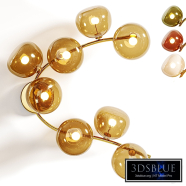
Modern Fabric Pendant Light
30 Modern Fabric Pendant Light 1 250
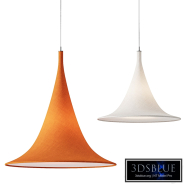
Mantle by Bella Figura

Mantle by Bella Figura

30 Mantle by Bella Figura 0 250

Imondo Chandelier

Imondo Chandelier

30 Imondo Chandelier 0 250

Fini Wall Sconce

Fini Wall Sconce

30 Fini Wall Sconce 0 250

Moooi Serpentine Light

Moooi Serpentine Light

30 Moooi Serpentine Light 0 250

Rue Sala Sconce Two Arm

Rue Sala Sconce Two Arm

30 Rue Sala Sconce Two Arm 0 250

MAEHWA CEILING WALL 8 gardeshop

MAEHWA CEILING WALL 8 gardeshop

30 MAEHWA CEILING WALL 8 gardeshop 0 250

Lava Drops Pendant Lights

Lava Drops Pendant Lights

30 Lava Drops Pendant Lights 0 250

Cabana Pendant Lamp

Cabana Pendant Lamp

30 Cabana Pendant Lamp 0 250