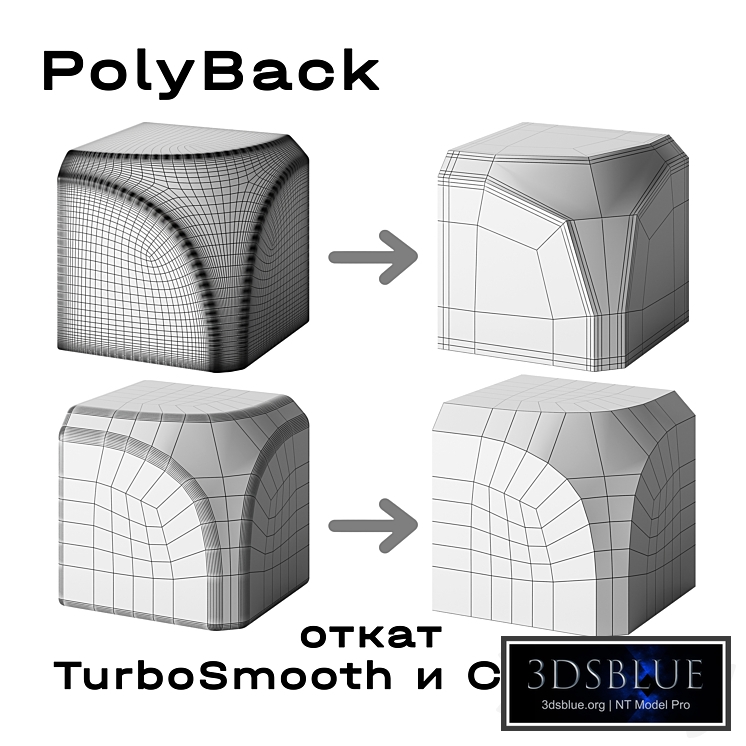
3ddd is not responsible for this extension. All risks associated with the use of this extension are borne by the users. Video about the script: https://youtube.com/shorts/biTkcVoVpac?feature=share https://vk.ru/clip-226908262_456239102 Script for rolling back Chamfer edges and smoothing TurboSmooth on a collapsed model, after converting to Editable Poly. Other scripts: https://3dsky.org/collection/shared/5514167 Installation: Drag the script into an open 3ds Max window. Next: Customize - Customize User Interface - Toolbars, category sofiakholina. Drag PolyBack onto any panel. If the script is not working correctly or you encounter an error — please report it. How to use: Select one or more models or part of a model (Element) and press the desired button. Back Chamfer - remove Chamfer Shift + Back Chamfer does not remove anything, it only highlights found chamfers Rebuild chamfer - after rollback, apply the Chamfer modifier to the model Back TurboSmooth - remove TurboSmooth iterations from the model After geometry change - rollback TurboSmooth even where the geometry has been edited after smoothing Each press is one step Ctrl+Z. When applying Back TurboSmooth, the following are transferred: - Material ID and smoothing groups; - all map channels: UV, vertex color, illumination, alpha. For each channel, the script determines whether TurboSmooth smoothed the coordinates or not. Designed for 3ds Max 2010 and newer.